
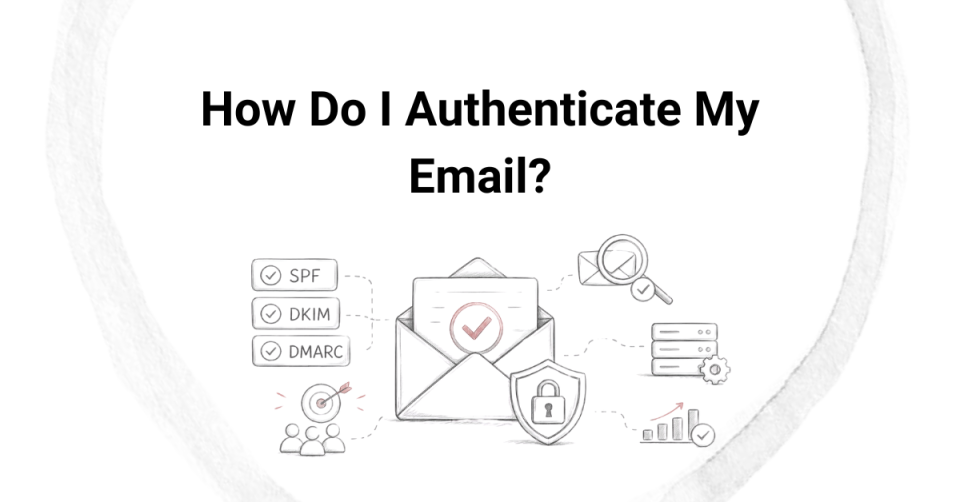
A practical guide to improving deliverability and trust
If you’re sending emails—whether transactional alerts, product updates, or marketing campaigns—authentication is no longer optional. Mailbox providers like Gmail, Outlook, and Yahoo rely heavily on authentication signals to decide whether your email lands in the inbox… or spam.
The good news: setting up email authentication isn’t complicated once you understand the core pieces.
Why Email Authentication Matters
At its core, email authentication answers a simple but critical question: is this email genuinely coming from the sender it claims to be? Mailbox providers don’t take that on trust—they actively verify it. Without authentication, your emails are treated with suspicion and are far more likely to be filtered, throttled, or pushed to spam. With proper authentication in place, you establish trust at both the domain and infrastructure level, which directly improves inbox placement, protects your domain from spoofing, strengthens your long-term sender reputation, and ensures compliance with modern requirements set by providers like Gmail and Yahoo. In essence, authentication isn’t just a technical configuration—it’s the foundation that determines whether your emails are trusted or ignored.
The 3 Pillars of Email Authentication
Every sender should have these three configured:
SPF (Sender Policy Framework)
SPF (Sender Policy Framework) is an email authentication method that allows domain owners to specify which mail servers are authorized to send emails on behalf of their domain. This is done by publishing an SPF record in the domain’s DNS, which acts like a list of approved senders. When an email is received, the recipient’s mail server checks this record to verify whether the sending server is permitted; if it matches, the SPF check passes, and if not, it fails—often signaling potential spoofing or misconfiguration. SPF plays a critical role in improving email deliverability, protecting domains from unauthorized use, and building trust with mailbox providers like Gmail and Outlook. However, SPF alone is not sufficient; it works best in combination with DKIM and DMARC for full authentication coverage.
Important tip:
Avoid multiple SPF records—merge them into one.
DKIM (DomainKeys Identified Mail)
DKIM (DomainKeys Identified Mail) is an email authentication method that uses cryptographic signatures to verify that an email was actually sent by the claimed domain and that its contents haven’t been altered in transit. When an email is sent, the sending server attaches a unique digital signature to the message headers using a private key. The receiving server then looks up the corresponding public key published in the domain’s DNS and uses it to validate the signature. If the signature matches, DKIM passes—confirming both the authenticity of the sender’s domain and the integrity of the message. This helps mailbox providers trust the email, improves deliverability, and protects against tampering or spoofing. Unlike SPF, DKIM is tied to the domain in the “From” address and remains valid even if the email is forwarded, making it a critical component alongside SPF and DMARC in modern email authentication.
How it works:
Your email provider signs outgoing emails with a private key
The receiving server verifies it using a public key in your DNS
What you need to do:
Add a DKIM TXT/CNAME record provided by your ESP (e.g., SMTP, Campaigner)
Why it matters:
It builds trust at a message level
It’s required for DMARC to work properly
DMARC (Domain-based Message Authentication, Reporting & Conformance)
DMARC (Domain-based Message Authentication, Reporting & Conformance) is an email authentication policy that builds on SPF and DKIM to help domain owners control how their emails are handled if authentication checks fail, while also providing visibility into who is sending emails on their behalf. It works by requiring alignment between the domain in the visible “From” address and the domains used in SPF and/or DKIM, ensuring that the sender is truly authorized. Domain owners publish a DMARC record in DNS that tells receiving mail servers what to do if an email fails authentication—such as take no action (none), quarantine it (send to spam), or reject it outright. In addition to enforcement, DMARC enables reporting, allowing mailbox providers to send aggregate and forensic reports back to the domain owner, giving insight into authentication results, potential abuse, and overall email ecosystem health. This makes DMARC a critical layer for preventing spoofing, improving deliverability, and maintaining long-term sender reputation when used alongside properly configured SPF and DKIM.
Policy options:
p=none → Monitor only
p=quarantine → Send to spam
p=reject → Block completely
Why DMARC is powerful:
Protects your domain from phishing
Gives visibility via reports
Required for bulk senders (Google/Yahoo policies)
Common Mistakes to Avoid
Tools & suggestions to check your Authentication
When you’re setting up SPF, DKIM, and DMARC, simply publishing the records in DNS isn’t enough—you need to verify that they’re actually working the way mailbox providers expect. That’s where these tools come in. They give you visibility at different layers of the email flow: from raw DNS configuration to real inbox behavior.
Google Postmaster Tools helps you understand how Gmail perceives your domain over time. Even if your authentication is technically correct, poor alignment or inconsistent sending patterns can still hurt reputation—and this tool surfaces that through spam rate, domain reputation, and authentication success trends.
MXToolbox is more of a diagnostic layer. It validates whether your SPF, DKIM, and DMARC records are correctly published and structured. This is where you catch foundational issues—like broken syntax, missing records, or exceeding SPF lookup limits—before they impact delivery.
Mail Tester moves one step closer to reality. Instead of just checking records, it evaluates an actual email you send—looking at authentication results, spam filter signals, and content factors. It’s useful for understanding how your emails might be judged in a real inbox scenario.
And finally, Gmail’s “Show original” is your ground truth. It reflects exactly how a receiving server processed your email. Seeing SPF, DKIM, and DMARC all marked as PASS here confirms that your setup is not only correct in theory but also functioning correctly in live delivery.
Put together, these checks form a simple but powerful validation loop:
DNS setup → technical validation → real email testing → inbox-level confirmation.
You can also try Aboutmy.email – is a simple but very practical tool used to test how your emails are seen by receiving systems—especially from an authentication and deliverability standpoint.
What Happens If You Don’t Authenticate?
If you don’t authenticate your emails using SPF, DKIM, and DMARC, mailbox providers treat your messages with suspicion because they have no reliable way to verify that you are who you claim to be. In today’s environment—especially with stricter enforcement from providers like Gmail and Outlook—unauthenticated emails are far more likely to be filtered, blocked, or flagged as risky. Even if your content is legitimate, the lack of authentication signals makes your emails look similar to spoofing or phishing attempts, which directly impacts inbox placement, sender reputation, and overall campaign performance. Over time, this not only reduces engagement but can also damage your domain’s trust permanently if left unaddressed.
What typically happens:
Get these right, and everything else—IP warmup, engagement, content—starts working better.
When SPF, DKIM, and DMARC are correctly configured—and more importantly, properly aligned—you’re not just “checking a box,” you’re establishing a foundation of trust with mailbox providers. That trust changes how your emails are evaluated from the very first connection. Instead of being treated as an unknown or potentially risky sender, your emails are recognized as authenticated, consistent, and accountable. Once that baseline is in place, everything else you do—IP warmup, engagement strategies, segmentation, and content optimization—starts to perform the way it’s supposed to.