Switching email platforms is one of the most technically demanding moves a marketing team can make. Beyond migrating templates, lists, and workflows, there is an invisible layer of infrastructure that directly determines whether your emails reach the inbox or land in spam: your authentication records. Get these wrong, and your deliverability can collapse overnight, taking revenue and sender reputation with it.
Understanding which DNS records to update, in what order, and how to verify them correctly is essential for any successful email platform migration. This guide answers the most common questions teams face when making the switch.
What are email authentication records and why do they matter?
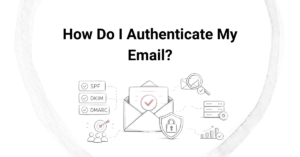
Email authentication records are DNS entries that prove to receiving mail servers that your messages are genuinely sent from an authorized source. The three core standards are SPF (Sender Policy Framework), DKIM (DomainKeys Identified Mail), and DMARC (Domain-based Message Authentication, Reporting, and Conformance). Together, they form the backbone of sender identity and inbox placement.
Without valid authentication records, inbox providers like Gmail, Outlook, and Yahoo have no reliable way to distinguish your legitimate emails from spoofed or phishing attempts. This means your messages are far more likely to be filtered, quarantined, or rejected entirely. Beyond spam filtering, authentication records also protect your brand from being impersonated, which is a growing concern for businesses in finance, healthcare, and e-commerce. Maintaining strong authentication is not optional; it is a foundational requirement for sustainable email deliverability.
Which authentication records must you update when switching email platforms?
When switching email platforms, you must update your SPF record, DKIM keys, and potentially your DMARC policy. You may also need to update BIMI records and any custom tracking domain entries if your new platform uses different sending infrastructure. Each of these records is tied to the specific servers and keys your platform uses to send on your behalf.
- SPF record: Authorizes which mail servers can send email on behalf of your domain. Your new platform will have its own IP ranges or sending servers that must be included.
- DKIM record: A public cryptographic key published in your DNS that allows receiving servers to verify that your emails have not been tampered with in transit. Each platform generates its own unique key pair.
- DMARC record: Instructs receiving servers on how to handle messages that fail SPF or DKIM checks. Review your policy when switching to ensure your alignment settings match your new setup.
- Custom tracking domains: Many platforms use branded click and open tracking links. These require CNAME records pointing to your new platform’s infrastructure.
- BIMI record: If you use Brand Indicators for Message Identification to display your logo in inboxes, this record may also need updating if your sending domain or DMARC alignment changes.
How does switching email platforms break your deliverability?
Switching platforms breaks deliverability when your DNS records still reference your old provider’s servers while your new platform is already sending mail. Receiving servers check your SPF and DKIM records against the actual sending source. If there is a mismatch, authentication fails, DMARC policies may trigger rejections, and your sender reputation can take an immediate hit.
The damage compounds quickly. Failed authentication signals to inbox providers that something is wrong with your sending setup, which increases the likelihood of your messages being filtered. If your DMARC policy is set to quarantine or reject, a significant portion of your email volume may never reach the inbox at all during the transition window. There is also a subtler issue: your new platform starts with no sending history on its IP addresses, which means inbox providers have no trust context for your messages yet. Combine that with broken authentication, and you have the conditions for a serious deliverability crisis.
How do you update SPF, DKIM, and DMARC for a new email platform?
Updating your authentication records for a new email platform requires accessing your domain’s DNS settings and making targeted changes before you begin sending. The process follows a clear sequence to minimize disruption.
Updating your SPF record
Your SPF record is a TXT record in your DNS. You cannot have more than one SPF record for a domain, so you need to edit the existing one rather than add a new entry. Add your new platform’s authorized sending mechanism (usually an include statement they provide) and remove the old platform’s entry once you are confident the transition is complete. Be mindful of the SPF lookup limit of ten mechanisms, as exceeding it causes validation failures.
Updating your DKIM keys
Your new platform will generate a unique DKIM key pair and provide you with a public key to publish as a TXT or CNAME record in your DNS. The record name typically includes a selector prefix specified by your platform. Add the new DKIM record and keep the old one active until you are certain no mail is still flowing through your previous provider. Removing it prematurely can cause authentication failures on delayed or queued messages.
Reviewing your DMARC policy
DMARC does not usually need a complete rewrite, but you should review the alignment mode and policy level. If your DMARC policy is set to reject or quarantine, confirm that both SPF and DKIM are fully aligned on your new platform before sending any significant volume. Temporarily relaxing the policy during migration can give you a safety buffer while you verify the setup.
What mistakes should you avoid during an email platform migration?
The most damaging mistakes during an email platform migration involve timing errors and incomplete DNS updates. Acting too quickly, or not verifying records before going live, creates gaps in authentication that directly harm deliverability and sender reputation.
- Removing old records before the new ones propagate: DNS changes can take up to 48 hours to propagate globally. Deleting old SPF or DKIM entries too soon leaves a window where authentication fails entirely.
- Skipping DKIM setup: Some teams focus on SPF and overlook DKIM, assuming it is optional. It is not. DMARC alignment often requires DKIM to pass, and many inbox providers weigh DKIM heavily in filtering decisions.
- Sending full volume immediately: A new sending IP has no reputation. Jumping straight to high volume triggers spam filters. IP warm-up is a required step, not an optional one.
- Ignoring DMARC reporting: DMARC aggregate reports (rua) show you exactly which sources are sending on your behalf and whether they are passing authentication. Monitoring these during migration reveals misconfigurations before they become serious problems.
- Forgetting subdomain senders: If you send from multiple subdomains or have transactional email running through a separate service, each sending source needs its own authentication review.
How do you verify your authentication records are set up correctly?
You can verify your authentication records using DNS lookup tools and by sending test emails and inspecting the message headers. The email headers of any delivered message contain a detailed authentication results section that shows whether SPF, DKIM, and DMARC passed or failed, and why.
Free tools like MXToolbox, Google Admin Toolbox, and your new platform’s built-in diagnostic features allow you to query your SPF, DKIM, and DMARC records directly and flag common errors such as syntax mistakes, missing includes, or selector mismatches. Send a test message to an address you control, open the raw headers, and look for the Authentication-Results field. All three checks should show a pass status before you begin sending to your full list. If any check fails, return to your DNS settings and correct the issue before proceeding. Verification is not a one-time step; run these checks again after any DNS change to confirm the update has propagated correctly.
How Email Industries helps with email platform migration
We have spent more than two decades helping organizations navigate the technical complexity of email platform migrations without losing inbox placement or damaging sender reputation. When you migrate to a new platform, we provide hands-on support at every stage of the process, including:
- Full audit of your existing SPF, DKIM, and DMARC records to identify gaps before migration begins
- Step-by-step guidance on updating and validating authentication records for your new platform
- IP warm-up strategy and execution support to build reputation on new sending infrastructure
- Ongoing deliverability monitoring through our Alfred platform to catch authentication issues early
- Expert review of DMARC reporting to ensure all sending sources are properly aligned post-migration
A migration done right protects your revenue, your sender reputation, and your relationship with your subscribers. If you are planning a platform switch and want to make sure your authentication records are set up correctly from day one, explore our Migrations and Warmup services or reach out directly to [contact] our team to get started.
Related Articles
- How long does it take to fully implement a DMARC policy?
- When should you escalate your DMARC policy to full enforcement?
- What is DMARC and why do I need it?
- How do you evaluate full service email marketing proposals?
- What minimum budget is needed for full service email marketing?
- When should you use a new domain for email migration?
- How do you monitor deliverability during an IP warming campaign?
- What is the difference between general email agencies and ecommerce specialists?
- How do agencies grow subscriber databases?
- What is email marketing automation setup?
- How do agencies ensure CAN-SPAM compliance?
- How do agencies calculate email marketing revenue?
- What qualifications should email marketing agencies have?
- What is email campaign management?
- Can agencies guarantee delivery recovery timelines?