Switching email platforms is one of the most technically demanding moves a marketing team can make. Done well, it opens the door to better tools, improved automation, and stronger performance. Done poorly, it can tank your sender reputation, trigger spam filters, and cost you weeks of inbox placement that you may struggle to recover. The good news is that most deliverability damage from an email platform migration is preventable with the right testing and preparation before you send a single message from the new environment.
This guide walks through every critical deliverability question you need to answer before completing your migration, from pre-flight checks to an IP warm-up strategy. Whether you are moving between ESPs, consolidating platforms, or rebuilding your sending infrastructure, these steps will help you protect your sender reputation and land in the inbox from day one.
What does testing email deliverability before a migration actually mean?
Testing email deliverability before a migration means systematically evaluating your current sending health, authentication setup, list quality, and inbox placement rates before you move to a new platform, so you have a clear baseline and can identify risks before they become problems in the new system.
Think of it as a pre-flight checklist. You are not just copying your templates and contact lists from one tool to another. You are auditing everything that influences whether your emails reach the inbox: your domain reputation, your IP history, your list hygiene, your authentication records, and your engagement metrics. Without this baseline, you have no way of knowing whether a deliverability problem that appears after the migration was caused by the move itself or was already lurking in your sending program.
Deliverability testing before a migration covers two phases. The first is auditing your current state on the old platform. The second is validating your new environment before you ramp up volume. Both phases matter equally.
Why can an email platform migration hurt your deliverability?
An email platform migration can hurt your deliverability because it typically involves a new IP address, a new sending-domain configuration, and a break in your established sending history, all of which mailbox providers use to assess trustworthiness. Starting fresh on a new IP means starting without a reputation.
Mailbox providers like Gmail, Outlook, and Yahoo evaluate sender reputation at both the IP level and the domain level. When you migrate to a new platform, you are almost always assigned a new IP address or pool. That IP has no sending history, which means inbox providers treat your mail with more caution until you build credibility through consistent, engaged sending.
Beyond the IP issue, migrations often surface problems that were already present but masked by a warm sending history. A list full of stale addresses, inactive subscribers, or spam traps will cause disproportionate damage on a cold IP. What your old platform could absorb through accumulated goodwill, your new platform cannot. This is why list quality and authentication must be addressed before the switch, not after.
What deliverability checks should you run before switching platforms?
Before switching platforms, you should run a full deliverability audit covering domain reputation, IP reputation, authentication record accuracy, list hygiene, bounce and complaint rates, and inbox placement rates. These checks give you a health snapshot and reveal any issues that need fixing before the migration begins.
Here is a structured checklist of pre-migration deliverability checks:
- Domain reputation check: Use tools like Google Postmaster Tools and Microsoft SNDS to review your sending domain’s reputation score and any flagged issues.
- IP reputation check: Run your current sending IPs through major blocklist databases to confirm you are not already listed before you migrate.
- Authentication audit: Verify that SPF, DKIM, and DMARC records are correctly configured and passing on your current platform.
- List hygiene review: Identify and remove hard bounces, long-inactive subscribers, and any addresses that show signs of being spam traps or role-based accounts.
- Engagement segmentation: Separate your most active subscribers from dormant ones. You will want to send to engaged contacts first on the new platform.
- Complaint rate review: Check your spam complaint rate through feedback loops. A rate above 0.1% is a warning sign that needs addressing before migration.
Completing these checks gives you a clean foundation to migrate from and ensures you are not carrying existing problems into a new environment where they will be amplified.
How do you test inbox placement on a new email platform?
You test inbox placement on a new email platform by sending seed-list tests to a panel of real mailbox accounts across major providers before you begin live sending. Seed testing shows you whether your messages are landing in the inbox, the Promotions tab, or the spam folder at each mailbox provider.
Seed-list testing tools work by sending your email to a curated set of test addresses at providers like Gmail, Outlook, Yahoo, and others. The tool then reports back where each message was delivered. This gives you a realistic picture of placement before any real subscribers are exposed to the new sending environment.
Beyond seed testing, you should also send a small batch to your most engaged subscribers early in the migration. Engaged subscribers are more likely to open, click, and not mark your mail as spam, which sends positive engagement signals to mailbox providers and helps establish your reputation on the new IP faster. Monitor open rates, click rates, and complaint rates closely during this initial period.
What authentication setup is required on the new platform before sending?
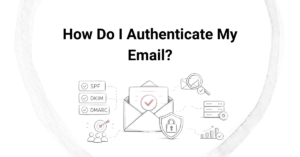
Before sending from a new email platform, you must configure SPF, DKIM, and DMARC authentication records for your sending domain. These three protocols are the foundation of email authentication and are required by major mailbox providers to verify that your messages are legitimate.
SPF (Sender Policy Framework)
SPF tells receiving mail servers which IP addresses and services are authorized to send email on behalf of your domain. When you move to a new platform, you need to add that platform’s sending infrastructure to your SPF record. Be careful not to exceed the 10 DNS lookup limit, which can cause SPF to fail silently.
DKIM (DomainKeys Identified Mail)
DKIM adds a cryptographic signature to your outgoing messages that receiving servers can verify against a public key stored in your DNS. Each platform uses its own DKIM key, so you will need to generate and publish a new DKIM record for the new platform and confirm it is passing before you migrate volume.
DMARC (Domain-based Message Authentication, Reporting, and Conformance)
DMARC builds on SPF and DKIM by specifying what mailbox providers should do when authentication fails. It also sends you aggregate reports that show authentication pass and fail rates across your sending. If you do not already have a DMARC record, the migration is the right time to put one in place. Google and Yahoo now require DMARC as a baseline for bulk senders.
How do you warm up a new IP address during an email migration?
Warming up a new IP address during an email migration means gradually increasing your sending volume over several weeks, starting with your most engaged subscribers and slowly expanding to your full list. This controlled ramp-up allows mailbox providers to observe consistent, positive engagement before you send at full scale.
A typical IP warm-up schedule starts with a few hundred emails per day in the first week and doubles or triples volume each subsequent week, depending on engagement signals. The key principles are:
- Start with your highest-engagement segment: those who have opened or clicked within the last 30 to 90 days.
- Monitor bounce rates, complaint rates, and inbox placement daily during the warm-up period.
- Do not rush the schedule. Sending too much too soon is the most common warm-up mistake and can trigger spam filters.
- Maintain a consistent sending frequency. Sporadic large spikes look suspicious to mailbox providers.
- Suppress unengaged contacts until your IP reputation is established, then re-engage them carefully.
The warm-up period typically takes four to eight weeks for a moderate-volume sender, and longer for high-volume programs. Skipping or shortening the warm-up is one of the most damaging decisions you can make during an email migration and IP warm-up process, as inbox providers have little tolerance for cold IPs sending at full scale immediately.
How Email Industries helps with email platform migrations
We have guided organizations through complex email platform migrations for more than two decades, and we know firsthand how many things can go wrong when deliverability is treated as an afterthought. Our team works hands-on with your sending program to make sure the transition is smooth, your reputation is protected, and your inbox placement holds up from the very first send on the new platform.
Here is what we bring to a migration engagement:
- Pre-migration deliverability audit: We review your domain reputation, IP health, authentication records, and list quality to identify risks before you move.
- Authentication configuration: We set up and validate SPF, DKIM, and DMARC on your new platform, ensuring everything is correctly aligned before sending begins.
- List validation with Alfred: Our email verification and threat detection tool cleans your list of risky addresses, spam traps, and invalid contacts so you migrate with a healthy database.
- IP warm-up strategy and monitoring: We build a customized warm-up schedule based on your list size and engagement segments, and we monitor deliverability signals throughout the ramp-up period.
- Ongoing inbox placement testing: We run seed-list tests across major mailbox providers to give you real-time visibility into where your messages are landing.
If you are planning a platform switch and want to make sure your deliverability comes through intact, we would love to help you build the right plan. Reach out to us through our Migrations and Warmups page or get in touch directly to talk through your specific situation.
Related Articles
- What are the benefits of DKIM for email sender reputation?
- How does DKIM signing work in email authentication?
- Can a broken SPF record cause your emails to land in spam?
- Why do emails go to spam after migrating to a new platform?
- What metrics should you monitor during an email platform migration?
- What authentication records do you need before domain warmup?
- How do you start a domain warmup process?
- How do inbox providers evaluate a new IP address?
- How do agencies calculate email marketing revenue?
- Can you prevent future blacklisting after removal?
- Should you use in-house teams or external deliverability agencies?
- How do consultants address spam filter issues?
- What tools do agencies use to monitor email performance?
- What are the warning signs your email delivery needs expert attention?
- What tools do professional email agencies use?