Switching email platforms is one of the most disruptive moves a marketing team can make. Even when everything looks technically correct, emails that once sailed into the inbox suddenly start landing in spam folders. Understanding why this happens—and how to prevent it—is the difference between a smooth transition and weeks of lost revenue.
The good news is that post-migration deliverability problems are predictable and fixable. This guide walks through the most common causes of email platform migration issues, from reputation resets to authentication gaps, and explains exactly what you can do to restore inbox placement quickly.
What is IP reputation, and why does it reset after migration?
IP reputation is the trust score that mailbox providers like Gmail, Outlook, and Yahoo assign to the IP addresses your emails are sent from. When you migrate to a new email platform, you are almost always assigned new sending IP addresses, and those IPs have no sending history. Mailbox providers treat unfamiliar IPs with suspicion by default, which is why your emails go to spam even if your content and list are in perfect shape.
Think of IP reputation like a credit score. A new IP has no credit history, so mailbox providers are cautious about delivering large volumes of mail from it. Your previous platform built up months or years of positive sending signals, including consistent volume, strong engagement rates, and low complaint counts. All of that history stays with the old IP addresses and does not transfer to your new sending infrastructure.
Domain reputation plays a role here, too. While your sending domain carries some historical trust, IP reputation is evaluated independently and carries significant weight in spam-filtering decisions. Migrating without accounting for IP reputation is one of the most common reasons deliverability collapses immediately after a platform switch.
How does email authentication affect deliverability during a migration?
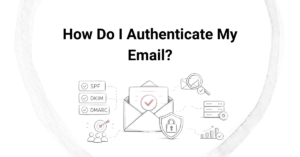
Email authentication protocols—specifically SPF, DKIM, and DMARC—verify that your emails are genuinely sent from your domain and not spoofed. During a migration, these records must be updated to reflect your new sending platform. If they are misconfigured or missing, mailbox providers have no way to confirm your identity, and spam filters will treat your messages as suspicious or unverified.
Each platform generates its own DKIM keys and requires specific SPF record updates. A common mistake is failing to add the new platform’s sending servers to your SPF record or forgetting to publish the new DKIM key before sending. Either error signals a lack of authentication, which directly damages deliverability.
DMARC alignment is equally important. Even if SPF and DKIM are technically present, they must align with your From domain for DMARC to pass. Misalignment is a subtle issue that can go undetected while quietly pushing emails into spam. Always validate all three protocols using a dedicated authentication checker before sending a single message from your new platform.
What is IP warming, and how does it fix post-migration spam issues?
IP warming is the process of gradually increasing your sending volume from a new IP address over a period of weeks, allowing mailbox providers to observe consistent, positive sending behavior before you ramp up to full volume. It directly addresses the reputation reset that happens after migration by building trust incrementally rather than overwhelming spam filters with a sudden spike in traffic.
A typical IP warming plan for email migrations follows a structured ramp-up schedule. You start by sending to your most engaged subscribers—people who open and click regularly—because their positive engagement signals tell mailbox providers that recipients genuinely want your mail. Over time, you expand to less engaged segments as your IP builds a track record.
- Start with your smallest, most engaged segment in the first few days
- Double or gradually increase volume every few days based on engagement metrics
- Monitor spam complaint rates, bounce rates, and inbox placement closely throughout
- Pause or slow the ramp-up if complaint rates rise or spam placement spikes
- Reach full sending volume only after consistent positive performance across major mailbox providers
Skipping IP warming or rushing through it is the single biggest technical mistake teams make during an email platform migration. The process typically takes two to six weeks, depending on your list size and sending frequency, but the investment pays off with stable, long-term inbox placement.
What mistakes cause emails to land in spam after switching platforms?
The most common mistakes that send emails to spam after a platform migration are sending at full volume immediately, failing to update authentication records, and not cleaning the email list before the switch. Any one of these errors alone can damage deliverability, and they frequently occur together.
Sending at full volume too soon
Jumping straight to your normal sending volume on a new IP is the fastest way to trigger spam filters. Mailbox providers see a sudden surge from an unknown IP as a red flag, regardless of how good your content is. Without a warming period, even a clean, engaged list will generate inbox placement problems.
Carrying a dirty list to the new platform
Migration is a fresh start, and many teams make the mistake of importing their entire list without first removing invalid addresses, role-based emails, and long-inactive subscribers. A new IP sending to a high percentage of invalid addresses generates hard bounces immediately, which signals poor list hygiene to mailbox providers and accelerates reputation damage.
Ignoring engagement segmentation
Not all subscribers are equal in the eyes of a mailbox provider. Sending to unengaged contacts during a warmup period generates low open rates and potentially high complaint rates, both of which harm the reputation you are trying to build. Engagement-based segmentation is not optional during a migration.
How can you recover inbox placement after a failed email migration?
Recovering inbox placement after a failed migration requires stopping the damage first, then rebuilding reputation systematically. The recovery process mirrors a proper warmup, but you may need to start with an even smaller, more engaged segment to counteract the negative signals already sent to mailbox providers.
Begin by auditing your authentication setup to confirm SPF, DKIM, and DMARC are all correctly configured and aligned. A single misconfiguration can undermine every other effort. Next, validate and clean your list to remove invalid addresses, spam traps, and complainers before sending another message.
From there, treat the recovery like a fresh warmup. Suppress all unengaged contacts temporarily and focus exclusively on subscribers who have opened or clicked within the last 30 to 60 days. As inbox placement improves and complaint rates stabilize, you can gradually reintroduce broader segments. Patience is essential here. Attempting to accelerate recovery by sending more volume too quickly will reset your progress and prolong the problem.
How Email Industries helps with email platform migration
We have spent over two decades helping brands navigate the complexity of email platform migrations without losing inbox placement or revenue. Our team works directly alongside your internal stakeholders to make sure every element of the migration is handled correctly from day one.
- Full authentication audits covering SPF, DKIM, and DMARC alignment before and after the switch
- Custom IP warming strategies built around your list size, engagement data, and sending frequency
- List validation and threat detection through Alfred, our all-in-one email verification tool, to ensure you migrate only clean, safe contacts
- Ongoing deliverability monitoring throughout the warmup period to catch and correct issues before they escalate
- Expert consulting for teams dealing with active inbox placement problems following a failed migration
Whether you are planning a migration or already dealing with the fallout from one, we are here to help you get back to the inbox and stay there. Reach out to us through our Migrations and Warmups page to start the conversation, or simply contact our team directly to discuss your situation.
Related Articles
- What is DMARC alignment and why does it matter?
- How does SPF protect your email sender reputation?
- How does SPF work in emails?
- How long does it take to launch with an email advertising agency?
- What services are included in full service email marketing?
- Can you migrate email platforms without damaging your sender reputation?
- What should you do before migrating to a new email service provider?
- How do ecommerce email agencies increase online sales?
- How do ecommerce email agencies handle cart abandonment campaigns?
- How do agencies develop annual email marketing plans?
- What is email marketing strategy consulting?
- What is the difference between deliverability agencies and marketing automation consultants?
- What is email blacklist removal and how does it work?
- What ROI can you expect from professional deliverability services?
- How do email advertising agencies create effective campaigns?