Switching email service providers is a significant undertaking, and the technical complexity often catches teams off guard. While most people focus on recreating templates and setting up new campaigns, the real risk lies in the data you carry over. A poorly planned email platform migration can result in lost subscriber history, compliance gaps, and deliverability problems that take months to recover from. Getting the data transfer right is what separates a smooth transition from a costly disruption.
This guide walks through the key categories of data you need to move, the compliance considerations you cannot afford to skip, and the most common mistakes that derail migrations before they even get started. Whether you are moving from one major ESP to another or consolidating multiple platforms, these answers will help you plan with confidence. For a broader look at the process, our Migrations & Warmups resource covers the full picture from start to finish.
Why does subscriber list data matter most in a migration?
Subscriber list data is the foundation of your email program. Without an accurate, complete transfer of your contact records, every campaign you send from the new platform starts on shaky ground. This includes not just email addresses, but the full profile attached to each contact: name, preferences, subscription source, signup date, and engagement history.
Engagement history is particularly critical. Most modern ESPs use open rates, click rates, and recency of activity to inform sending decisions and segmentation logic. If you migrate only raw email addresses without behavioral data, you lose the ability to segment by engagement level, which directly affects your ability to warm up a new IP address correctly and maintain strong inbox placement.
What contact fields should you prioritize?
Beyond the basics, make sure you export and map the following fields before migration:
- Subscription date and source (organic, import, form, etc.)
- Last engagement date (last open, last click)
- Custom fields and tags used for segmentation
- List membership and segment assignments
- Preference center selections or frequency settings
Mapping these fields to their equivalents in the new platform before you import saves significant cleanup time and prevents data loss that is difficult to reverse.
What suppression and compliance data should you migrate?
Suppression lists are non-negotiable in any email platform migration. These include unsubscribes, hard bounces, spam complaints, and any contacts you have manually suppressed for legal or business reasons. Failing to migrate this data means you risk emailing people who have explicitly opted out, which creates serious legal exposure under regulations like CAN-SPAM, GDPR, and CASL.
Hard bounce records are equally important. Sending to addresses that previously hard bounced signals poor list hygiene to ISPs and can damage your sender reputation on the new platform before you have even established it. Export your full suppression list from the old ESP and load it into the new one as the very first step, before any contacts go live.
Compliance documentation to carry forward
Beyond the data itself, retain records of how and when consent was obtained. This is especially important for GDPR-regulated audiences. Keep documentation of:
- Consent timestamps and opt-in methods
- The specific consent language shown to subscribers
- Any double opt-in confirmation records
- Geographic data relevant to regional regulations
How do you transfer automation workflows to a new ESP?
Automation workflows cannot be exported and imported like a spreadsheet. Each workflow must be manually rebuilt in the new platform, which means you need to document every active automation in detail before you begin the migration. Start by auditing all live workflows, including welcome series, abandoned cart sequences, re-engagement campaigns, and transactional triggers.
For each workflow, capture the trigger conditions, delay intervals, branching logic, and the content of each email in the sequence. Pay close attention to how contacts enter and exit the workflow, since logic that works one way in your current ESP may behave differently in the new one. Run parallel testing where possible, keeping old automations active until the new versions are confirmed to be functioning correctly.
Handling contacts already mid-workflow
One of the trickiest parts of automation migration is deciding what to do with contacts who are already partway through a sequence. Options include letting them finish in the old system before switching, migrating them to the equivalent step in the new workflow, or pausing and restarting the sequence. The right approach depends on the workflow type and how time-sensitive the messaging is.
What email authentication records need to be updated during migration?
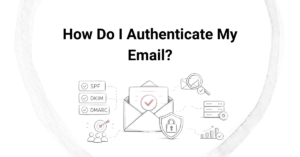
Email authentication records must be updated in your DNS settings when you migrate to a new ESP. The three core records to address are SPF, DKIM, and DMARC. Each of these ties your sending domain to a specific sending infrastructure, so switching platforms without updating them will cause authentication failures and deliverability problems.
SPF records specify which mail servers are authorized to send on behalf of your domain. Your new ESP will provide the SPF entry to add or update. DKIM requires you to add a new public key to your DNS, which the new ESP generates for you. DMARC policy records should be reviewed to ensure they align with your new sending setup. Allow time for DNS propagation and verify all records are resolving correctly before sending at volume.
What are the most common data migration mistakes to avoid?
The most common email platform migration mistakes fall into a few predictable patterns. Avoiding them requires planning ahead rather than reacting after problems surface.
- Skipping the suppression list transfer: This is the single most damaging mistake. Always migrate suppressions first.
- Migrating unengaged contacts without filtering: Importing your entire list, including contacts who have not opened an email in two or more years, puts your sender reputation at risk from day one.
- Not updating authentication records before sending: Sending without valid SPF and DKIM in place on the new platform leads to immediate deliverability failures.
- Skipping IP warmup: A new sending IP needs to be warmed up gradually. Jumping straight to full sending volume triggers spam filters at major ISPs.
- Failing to test automations before going live: Broken workflows can send duplicate emails, skip steps, or loop contacts unintentionally.
- Losing historical reporting data: Export performance reports from the old platform before access is cut off. This data is often irretrievable after migration.
Each of these mistakes is avoidable with a structured migration checklist and enough lead time to test thoroughly before the cutover date.
How Email Industries helps with email platform migration
At Email Industries, we have spent over two decades helping organizations navigate complex email migrations without losing deliverability, data, or revenue in the process. We bring hands-on expertise to every stage of the transition, so nothing critical falls through the cracks.
Here is what we bring to a migration engagement:
- A full audit of your existing subscriber data, suppression lists, and compliance records before the move begins
- Authentication setup and DNS verification for SPF, DKIM, and DMARC on the new platform
- An IP warmup strategy tailored to your list size and sending volume
- Deliverability monitoring throughout the transition to catch issues early
- Email list validation through Alfred, our threat detection and verification tool, to ensure you migrate only clean, safe contacts
A well-handled migration is an opportunity to improve your email program, not just replicate it. If you are planning a platform switch or are already mid-migration and running into problems, we would love to help. Reach out and contact our team to talk through your situation and find the right path forward.
Related Articles
- What questions should you ask potential full service email agencies?
- How do email advertising agencies ensure brand consistency?
- How do email advertising agencies handle creative development?
- What expertise should a full service email marketing agency have?
- What is a phased email platform migration and why does it matter?
- What should you do before migrating to a new email service provider?
- What types of emails should you send first during IP warming?
- How do inbox providers evaluate a new IP address?
- What customer lifecycle emails do ecommerce agencies create?
- What is ecommerce email automation?
- How long does it take to see results from an email marketing services agency?
- What email design services do agencies offer?
- How quickly can agencies restore damaged sender reputation?
- What is the typical contract length with email deliverability agencies?
- What services do email deliverability agencies provide?