Switching email platforms is one of the most technically demanding moves a marketing team can make. Done well, it can unlock better performance, improved tooling, and greater scalability. Done poorly, it can tank your inbox placement for weeks or even months, quietly destroying the revenue your email program generates. Understanding the mechanics behind an email platform migration is the first step toward protecting your sender reputation through the transition.
Whether you are moving from one ESP to another, consolidating platforms after an acquisition, or upgrading to a more robust solution, the risks to deliverability are real and predictable. The good news is that with the right preparation, most of those risks are entirely avoidable. This guide walks through the most important questions marketers and deliverability teams face during an email migration and IP warmup process.
Why does inbox placement drop during an email platform migration?
Inbox placement drops during an email platform migration primarily because mailbox providers cannot verify your sending reputation on a new IP address or domain. Your previous sending history does not transfer automatically. Without that established trust, inbox providers treat your mail as coming from an unknown sender, which increases the likelihood of filtering or blocking.
Several compounding factors make this worse. A new IP address starts with zero sending history, meaning there is no positive reputation for mailbox providers to reference. If you also switch sending domains, the problem doubles. On top of that, any gaps in your email authentication setup—even minor ones—can trigger immediate filtering from major providers like Gmail and Microsoft.
Volume spikes make things worse still. Many senders attempt to resume full sending volume immediately after migrating, which looks suspicious to spam filters that have no context for where that volume is coming from. The combination of an unknown IP, a potentially new domain, authentication gaps, and high volume creates a perfect storm for deliverability problems.
What email authentication records need to be set up before migrating?
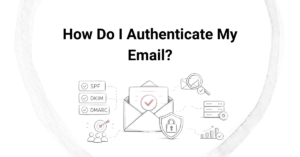
Before migrating to a new email platform, you must configure SPF, DKIM, and DMARC records for the new sending infrastructure. These three authentication protocols are non-negotiable. Without them, major inbox providers will either reject your mail outright or route it to spam, regardless of how clean your list is or how engaged your subscribers are.
- SPF (Sender Policy Framework): Authorizes the new platform’s sending servers to send mail on behalf of your domain.
- DKIM (DomainKeys Identified Mail): Adds a cryptographic signature to outgoing messages so receiving servers can verify they have not been tampered with.
- DMARC (Domain-based Message Authentication, Reporting and Conformance): Ties SPF and DKIM together and tells inbox providers what to do when authentication fails.
Beyond these three, if your new platform supports BIMI (Brand Indicators for Message Identification), setting that up alongside a verified mark certificate can further reinforce your domain’s trustworthiness. The key principle is simple: complete all DNS changes and verify that authentication is working correctly before sending a single email from the new platform.
How do you warm up a new IP address after switching email platforms?
IP warmup after an email platform migration means gradually increasing your sending volume over several weeks, starting with your most engaged subscribers and slowly expanding to your broader list. This controlled approach gives mailbox providers time to observe consistent, positive engagement signals before you scale up to full volume.
A typical warmup schedule starts with a few hundred or a few thousand emails per day in the first week, directed at subscribers who have opened or clicked recently. Each subsequent week, you double or incrementally increase volume while monitoring key metrics closely. The goal is to build a positive sending history on the new IP before it encounters harder-to-engage segments of your list.
What signals matter during IP warmup?
Mailbox providers watch open rates, click rates, spam complaint rates, and bounce rates during the warmup period. High engagement signals tell providers that recipients want your mail. Complaint rates above roughly 0.1% are a warning sign, and anything approaching 0.3% can trigger filtering. Keeping hard bounces below 2% is equally important, which is why list hygiene before migration matters so much.
How long should IP warmup take?
For most senders, a proper IP warmup takes between four and eight weeks. High-volume senders with large lists may need longer. Rushing the process is the single most common cause of deliverability failures during a migration, so patience here is genuinely strategic, not just cautious.
Should you clean your email list before or after migrating platforms?
You should clean your email list before migrating to a new platform, not after. Sending to invalid, inactive, or risky addresses during the warmup period is particularly damaging because mailbox providers are already scrutinizing your new sending infrastructure. A high bounce rate or elevated complaint rate at this critical stage can set back your warmup by weeks.
List cleaning before migration serves multiple purposes. It removes hard bounces and known invalid addresses that would immediately harm your sender reputation. It also identifies role-based addresses, spam traps, and high-risk contacts that could trigger filtering at major inbox providers. Starting the warmup with your cleanest, most engaged contacts gives you the best possible foundation.
After migration, ongoing list hygiene remains important. Suppressing unengaged subscribers and removing contacts who consistently do not open over a defined period helps maintain the strong engagement signals that inbox providers use to evaluate your reputation over time.
How long does it take to restore inbox placement after a migration?
Restoring inbox placement after an email platform migration typically takes four to twelve weeks, depending on how well the migration was planned, the quality of your list, and your pre-migration sender reputation. Senders who follow a structured warmup plan and maintain strong authentication generally see recovery on the faster end of that range.
Factors that extend recovery time include sending to disengaged lists during warmup, incomplete authentication setup, high complaint rates in the early weeks, and attempting to move too fast through the warmup schedule. In more serious cases where a new IP gets blocklisted early in the process, recovery can take longer and may require active remediation work with blocklist operators.
The most reliable predictor of a smooth migration is preparation. Senders who audit their authentication, clean their lists, and build a realistic warmup schedule before they flip the switch consistently experience shorter recovery windows and fewer disruptions to their email program.
What are the most common mistakes that hurt deliverability during a migration?
The most common mistakes that damage deliverability during an email platform migration are skipping IP warmup, launching without complete authentication, migrating a dirty list, and failing to monitor key metrics in real time. Each of these mistakes is avoidable, yet they appear consistently in migrations that go wrong.
- Skipping or rushing IP warmup: Sending full volume immediately overwhelms a new IP’s reputation and triggers spam filters.
- Incomplete authentication: Missing or misconfigured SPF, DKIM, or DMARC records cause immediate filtering at major providers.
- Migrating without list cleaning: Invalid and high-risk addresses inflate bounce and complaint rates during the most sensitive phase of the migration.
- Not monitoring metrics during warmup: Without watching complaint rates, bounce rates, and inbox placement in real time, problems escalate before anyone catches them.
- Forgetting to migrate suppression lists: Failing to transfer unsubscribes and complaint records to the new platform leads to compliance violations and reputation damage.
- Switching domains at the same time as platforms: Changing both simultaneously compounds the reputation problem, since neither the IP nor the domain carries any established history.
Avoiding these mistakes requires treating a platform migration as a deliverability project, not just an IT or operations task. The technical setup is only one part of the equation. Strategic decisions about timing, volume, and list segmentation matter just as much.
How Email Industries Helps with Email Platform Migration
We have guided organizations through complex email platform migrations for more than two decades, and we know exactly where things go wrong. Our team works alongside your internal stakeholders to make sure every element of the migration is handled correctly, from authentication setup to IP warmup strategy to ongoing monitoring.
Here is what we bring to a migration engagement:
- Full audit of your current authentication setup and identification of any gaps before migration begins
- List validation and threat detection using Alfred, our email verification and risk-scoring platform, to ensure you migrate only clean, deliverable contacts
- A customized IP warmup schedule built around your specific sending volume, list quality, and business timeline
- Real-time monitoring of inbox placement, complaint rates, and bounce rates throughout the warmup period
- Blocklist monitoring and remediation support if issues arise during the transition
- Suppression list migration and compliance review to protect against regulatory risk
A poorly managed migration can set your email program back by months. A well-managed one can actually improve your deliverability compared to where you started. If you are planning a platform switch or are already in the middle of one and seeing performance issues, we would love to help you get it right. Reach out and contact our team to talk through your migration plan.
Related Articles
- How do you set up a DMARC policy for your domain?
- How long does it take to fully implement a DMARC policy?
- Can DKIM setup prevent your emails from going to spam?
- What is the difference between DKIM, SPF, and DMARC?
- How do email advertising agencies handle underperforming campaigns?
- How do email advertising agencies approach seasonal campaigns?
- How do you recover a domain reputation after poor warmup?
- Can you warm up multiple domains at the same time?
- What are the biggest mistakes made during domain warmup?
- What are the signs that your IP warming strategy is working?
- Why is domain reputation important during email migration?
- How does IP warming work for email deliverability?
- How do agencies create email opt-in forms?
- How do agencies optimize email conversion rates?
- What is the definition of sender reputation management?